If you freelance through Upwork, your listed rate is not always the amount that reaches your bank account. Upwork may deduct a service fee from your earnings, while proposal costs, withdrawal charges, currency conversion, and taxes can reduce your take-home income even further.
The good news is that these costs are manageable once you understand them. In this guide, you will learn how Upwork fees work, how much freelancers actually keep, and how to set rates that protect your income.
What Fees Does Upwork Charge Freelancers?
Upwork’s main freelancer service fee ranges from 0% to 15% per contract. The exact percentage is shown before you submit a proposal or accept an offer, and it is generally fixed for that contract. The fee can apply to hourly work, fixed-price projects, bonuses, and Project Catalog earnings.
However, the service fee is only one part of your total cost. Depending on how you use the platform, you may also pay for:
- Connects used to submit proposals.
- Optional Freelancer Plus membership.
- Withdrawal or payment-processing charges.
- Currency conversion or exchange-rate costs.
- Taxes required in your country.
- Advertising or boosted proposal costs.
This means that “Upwork takes 10%” is not always a complete picture. Your actual cost depends on the contract fee, how many proposals you send, your payment method, and your local tax situation.
Upwork Freelancer Service Fee Explained
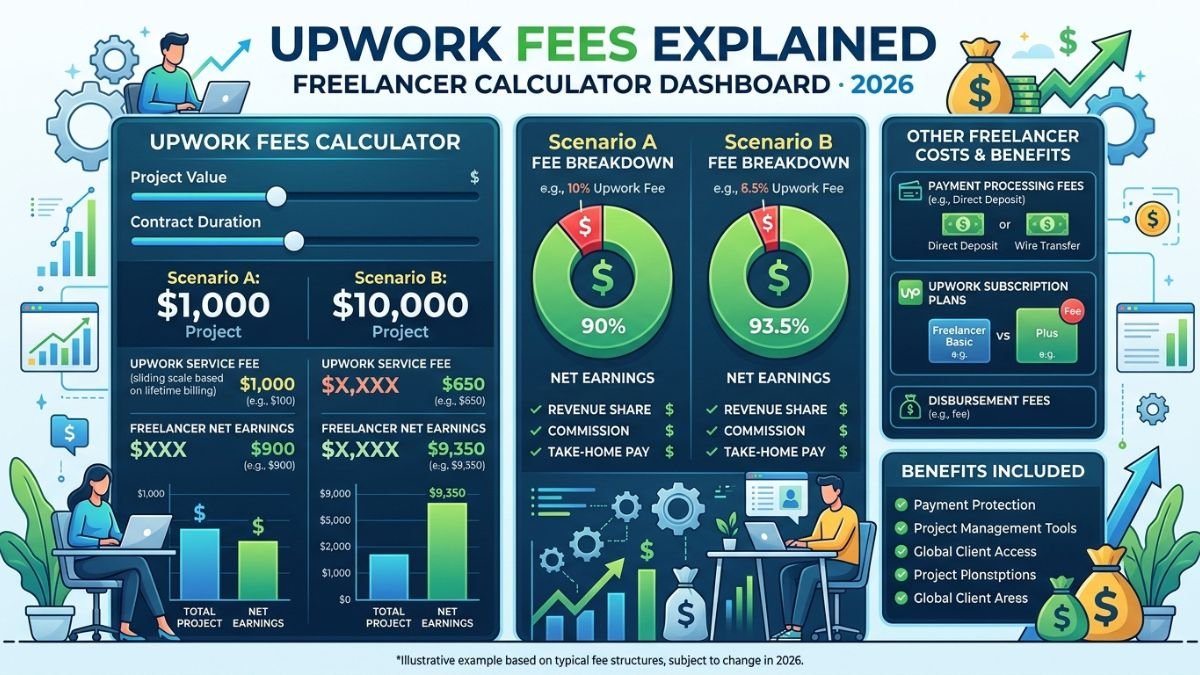
The service fee is deducted directly from your Upwork earnings. For example, if your contract has a 10% fee, you keep 90% of the amount billed to the client before other costs.
Here is how the calculation works:
[
\text{Net earnings before other costs} = \text{Gross earnings} \times (1-\text{service fee})
]
Example with a 10% fee
Suppose you complete a fixed-price project worth $500.
- Gross project value: $500.
- Upwork service fee at 10%: $50.
- Earnings after the service fee: $450.
You keep $450 before withdrawal costs, taxes, and other expenses.
Example with a 15% fee
If the same project carries a 15% service fee:
- Gross project value: $500.
- Upwork service fee at 15%: $75.
- Earnings after the service fee: $425.
The difference between a 10% and 15% fee is $25 on a $500 project. For freelancers handling several large projects each month, that difference can become significant.
Example with a 0% fee
Some contracts may show a 0% service fee. In that case, you keep the full contract amount before other platform, payment, and tax-related expenses.
A 0% service fee does not necessarily mean your total cost is zero. You may still spend money on Connects, withdrawals, currency conversion, or optional platform features.
How Much Do Freelancers Actually Keep?
The amount you keep depends on your contract fee and other deductions. The following examples show the amount remaining from a $1,000 project before taxes and withdrawal charges.
| Service fee | Upwork deduction | Amount remaining |
|---|---|---|
| 0% | $0 | $1,000 |
| 5% | $50 | $950 |
| 10% | $100 | $900 |
| 15% | $150 | $850 |
A freelancer with a 10% service fee keeps $900 from a $1,000 project before other expenses. If that freelancer spent $15 on Connects and paid $10 in withdrawal or conversion costs, the practical amount would be closer to $875.
That is why it is important to distinguish between:
- Gross income: The amount paid by the client.
- Platform-adjusted income: What remains after Upwork’s service fee.
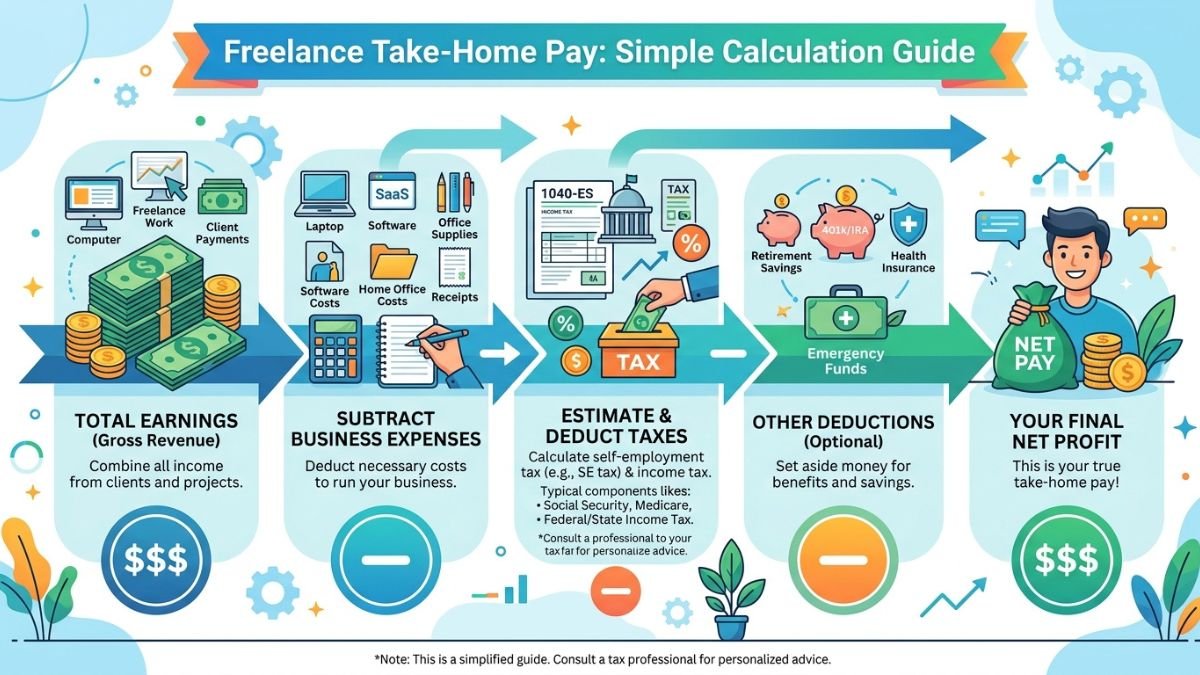
- Take-home income: What remains after proposals, withdrawals, taxes, and business expenses.
For personal budgeting, the third figure is the most useful one.
What Are Upwork Connects?
Connects are virtual tokens used to submit proposals for many Upwork jobs. Each Connect currently costs $0.15, and Upwork sells them in bundles or custom quantities.
The number of Connects required depends on the job. Some proposals may require only a few Connects, while competitive projects can require substantially more. You may also spend additional Connects to boost a proposal or promote your profile.
Connects cost money even when you lose
This is one of the most important details for new freelancers. You generally spend Connects when submitting a proposal, whether or not the client hires you.
For example, imagine you apply to 30 jobs in a month and each proposal costs an average of 8 Connects:
- 30 proposals × 8 Connects = 240 Connects.
- 240 Connects × $0.15 = $36.
If none of those proposals leads to work, the $36 still represents a business expense. That does not mean proposals are a waste of money, but it does mean you should track your proposal-to-hire rate.
How to reduce Connects spending
You can lower your proposal costs by applying selectively instead of sending generic applications to every suitable-looking job.
Focus on projects where:
- Your portfolio directly matches the client’s needs.
- The budget is realistic for the requested work.
- The client has provided a clear project description.
- You can demonstrate relevant results or experience.
- The job has reasonable hiring signals, such as a verified payment method or previous hires.
A personalized proposal sent to a well-matched project is usually more valuable than several rushed applications.
Is Freelancer Plus Worth the Cost?
Upwork offers an optional Freelancer Plus plan. Search results indicate that the plan costs $19.99 per month and includes 100 Connects, although freelancers should verify the current price and benefits in their own Upwork account before subscribing.
At $0.15 per Connect, 100 Connects have a nominal value of $15. Therefore, the subscription should not be judged only by the included Connects. Its value may depend on additional features, proposal volume, profile tools, and whether you use the included benefits consistently.
Freelancer Plus may make sense if:
- You regularly submit enough proposals to use the monthly Connects.
- You benefit from the plan’s additional features.
- The subscription helps you manage or promote your freelance business.
- You win enough extra work to cover the monthly cost.
It may not be worthwhile if you send only a few carefully selected proposals or already have consistent repeat clients.
A simple break-even calculation can help:
[
\text{Break-even revenue} = \frac{\text{Monthly plan cost}}{\text{Profit margin from one project}}
]
If the plan costs $19.99 and helps you win even one small project with more than $19.99 in profit, it may pay for itself. But do not subscribe solely because the plan includes more Connects.
Withdrawal and Payment-Processing Costs
After earning money on Upwork, you still need to transfer it to a bank account, digital wallet, or another supported payment method. The cost varies by country and withdrawal option.
Possible expenses include:
- A fixed withdrawal fee.
- Payment processor charges.
- Currency conversion fees.
- Exchange-rate differences.
- Local bank charges.
- Taxes or withholding requirements.
The exchange rate is especially important for freelancers receiving payments in a local currency. Even when a payment provider advertises a low transfer fee, the conversion rate may affect the final amount you receive.
For example, suppose your Upwork balance is $500. After a 10% service fee, you have $450. If the withdrawal and conversion process costs $8, your received amount becomes $442 before taxes.
Always check the final withdrawal preview rather than relying only on the advertised fee.
Taxes Are Separate From Upwork Fees
Upwork does not replace your responsibility to report freelance income. Taxes depend on your country, business structure, income level, deductible expenses, and local regulations.
For a freelancer in Pakistan, for example, the relevant tax treatment may depend on whether the income is classified as export of services, self-employment income, business income, or another category. The correct treatment can also vary based on registration status, banking records, and documentation.
Do not treat the amount deposited into your account as automatically tax-free. Keep records of:
- Upwork earnings statements.
- Client invoices or contract details.
- Withdrawal confirmations.
- Connects purchases.
- Software subscriptions.
- Internet and equipment expenses.
- Bank and currency-conversion charges.
A local tax professional can explain which expenses are deductible and what records you need to maintain. This article is general information, not tax advice.
How to Price Your Services After Upwork Fees
The easiest way to avoid losing money is to calculate your desired net income before setting your Upwork rate.
Use this formula:
[
\text{Required gross rate} =
\frac{\text{Desired net rate}+\text{Other cost per hour}}{1-\text{service fee}}
]
Suppose you want to earn $30 per hour after a 10% Upwork service fee and estimate $2 per hour for software and payment-related costs:
[
\frac{30+2}{1-0.10}=\frac{32}{0.90} \approx 35.56
]
You would need to charge approximately $35.56 per hour to retain about $30 after the service fee and estimated operating costs.
If your fee is 15%, the calculation changes:
[
\frac{32}{0.85} \approx 37.65
]
In that case, a rate of about $37.65 per hour would be needed to reach the same target.
Fixed-price project example
Assume you want to take home $600 from a project. Your contract fee is 10%, and you expect $20 in related costs.
[
\text{Required project price} =
\frac{600+20}{0.90} \approx 688.89
]
You would need to quote approximately $689 rather than $600.
This approach helps you avoid accepting a project that looks profitable but becomes underpaid after deductions.
Ways to Keep More of Your Earnings
You cannot eliminate every Upwork cost, but you can improve your effective income.
Choose higher-value projects
A $1,000 project with a 10% service fee may be more efficient than five $200 projects because it can reduce proposal time, communication overhead, and administrative work.
Track your real acquisition cost
Record how much you spend on Connects for every client you win. If you spend $60 on proposals before landing a $1,000 project, that $60 is part of your client-acquisition cost.
Improve your proposal conversion rate
A strong profile, focused portfolio, and specific proposals can help you win more work from fewer applications. Mention the client’s goal, explain your approach, and include one relevant example.
Build repeat relationships
Repeat clients can reduce the time and Connects required to find new work. Consistent clients may also make your monthly income more predictable.
Review your rates regularly
As your skills, portfolio, and demand improve, update your rates. A higher rate can offset platform costs without requiring you to work longer hours.
Compare withdrawal methods
Check the complete cost of each withdrawal option, including currency conversion and bank charges. The cheapest-looking option may not deliver the best exchange rate.
Common Mistakes Freelancers Make
Many freelancers make avoidable mistakes when calculating their Upwork earnings.
One common error is pricing from the gross amount. A freelancer may see a $500 project and mentally count the entire amount as income, even though the service fee and other costs reduce it.
Another mistake is ignoring unpaid proposal time. Connects are not the only cost of applying for work. Researching a client, writing a proposal, and preparing samples also take time.
Some freelancers also accept low-budget projects because the headline price looks attractive. After revisions, meetings, platform fees, and withdrawals, the effective hourly rate may be far below their target.
Finally, freelancers sometimes forget to reserve money for taxes. A separate savings account or a fixed percentage set aside from each payment can make tax deadlines less stressful.
Final Takeaway
Upwork freelancers may keep anywhere from 85% to 100% of a contract before other expenses when the service fee falls between 0% and 15%. In practice, your real take-home income can be lower after Connects, withdrawals, currency conversion, taxes, and business costs.
The best strategy is to calculate your net rate before accepting a project. Check the contract’s service fee, estimate your proposal and payment costs, track your expenses, and price your services around the income you actually want—not just the amount shown to the client.